
Learning how to make money on YouTube as a student is one of the most realistic ways to earn online without a job, an investment, or any experience. You already have the two things a new channel needs most: a phone that records video and knowledge other people are searching for. Students watch YouTube every day to revise for exams, learn software, fix problems, and relax — and the students who make those videos can earn from them.
This guide explains how to make money on YouTube as a student, step by step: the seven ways student creators earn, what YouTube requires before it pays you, how to pick a niche that fits around classes, and how to grow a channel on as little as five hours a week. No expensive camera, no editing degree, and no audience needed to start.
Can Students Really Make Money on YouTube?
Yes, students can make money on YouTube, and many do it while studying full time. YouTube pays creators through its Partner Program, and it also lets creators earn from affiliate links, sponsorships, digital products, memberships, and live-stream tips. None of these require a degree or a large following to begin — but the ad money only starts after your channel meets YouTube’s eligibility rules.
The honest part first: YouTube is not quick money. A new channel usually earns nothing for the first few months while it builds an audience. The students who succeed treat it like a small business they grow slowly — one useful video at a time. If you stay consistent for three to six months, the same videos can keep earning views (and money) long after you upload them, including during exam weeks when you post nothing at all.

How Much Money Can a Student Make on YouTube?
There is no fixed amount YouTube pays per view. What a creator earns per 1,000 views — called RPM — depends mostly on the topic and on where the viewers live. Advertisers pay more to reach viewers interested in finance, education, and technology than viewers watching entertainment or gaming, and viewers in the United States, the United Kingdom, and Australia generally bring in more ad money than viewers in South Asia. One study of 300 monetized channels, using YouTube Studio data from May 2025 to May 2026, put the median long-form RPM at about $2.30 per 1,000 views, with education channels earning far more than the median. Creators keep 55% of the ad revenue from their long-form videos, and YouTube keeps the rest.
That is why ad money alone is a slow start for a small channel. A student channel with 10,000 views a month might earn only a few dollars from ads — but the same channel can earn much more from an affiliate link, a small sponsorship, or a digital product sold to the same viewers. Combine several income streams instead of waiting for ad revenue alone.
7 Ways Students Make Money on YouTube
Most student YouTubers earn from a mix of the methods below. You do not need all seven at once — start with the first two, then add the rest as your channel grows.
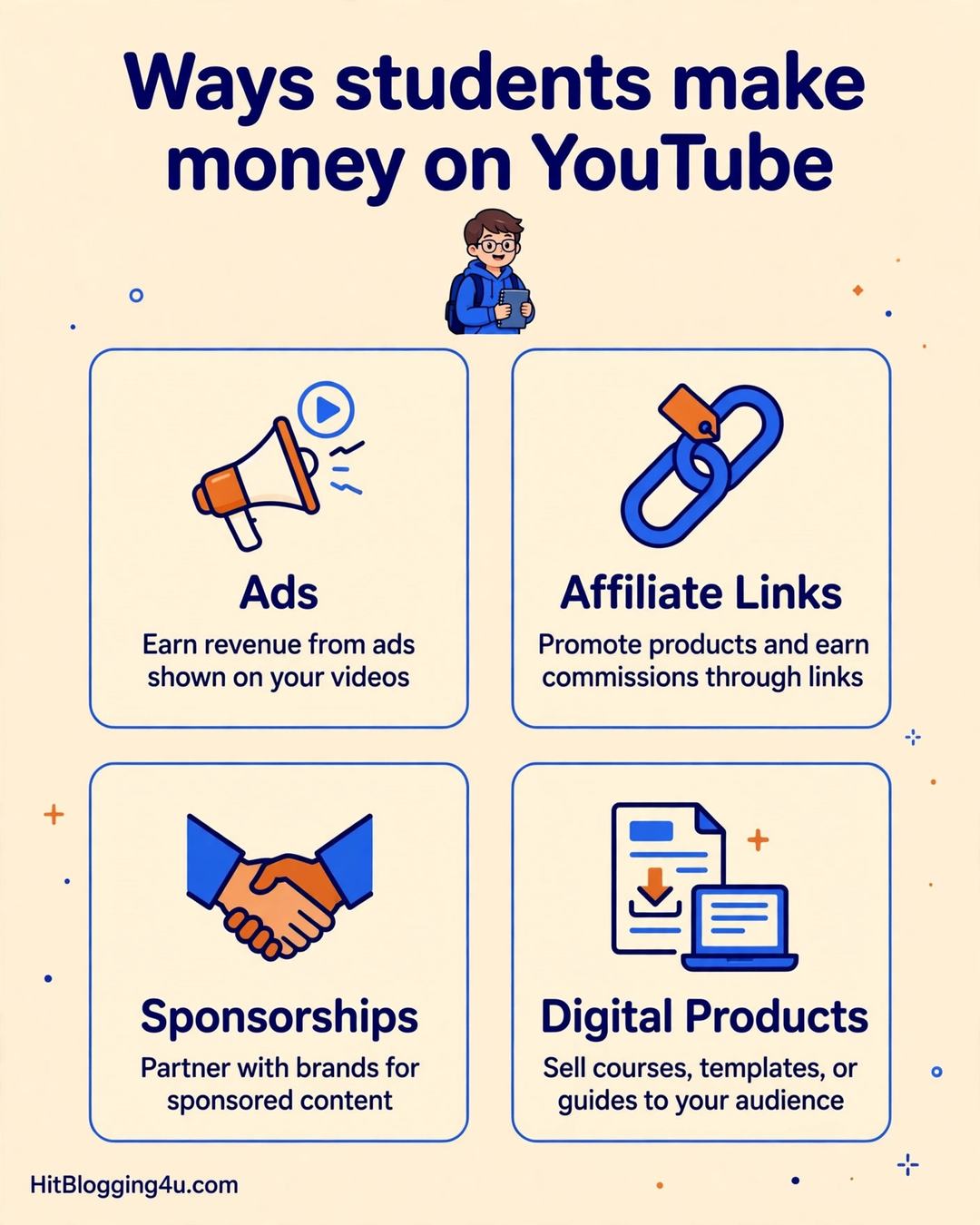
1. Ad Revenue Through the YouTube Partner Program
The YouTube Partner Program (YPP) is the official way to earn from ads on your videos. To join, your channel needs 1,000 subscribers and either 4,000 valid public watch hours in the last 12 months or 10 million valid public Shorts views in the last 90 days. You also need to follow YouTube’s monetization policies and link an AdSense account. Once accepted, YouTube places ads on your videos and shares the revenue with you. Ad revenue rewards watch time, so longer videos that people watch all the way through tend to earn more than short clips.
2. Affiliate Marketing
Affiliate marketing means recommending a product or tool in your video description and earning a small commission when someone buys through your link. This is one of the best ways for a small student channel to earn, because you do not need to be in the Partner Program to use it — you only need viewers who trust your recommendation. Start with products you already use: a budget microphone, a notebook, a study app, or a piece of software from your course. Make an honest review or tutorial, put the link in the description, and say clearly that it is an affiliate link. One useful video can keep earning commissions for months. For a full beginner walkthrough, read our guide to affiliate marketing for beginners.
3. Sponsorships and Brand Deals
Once your channel has a loyal audience — even a small one — brands may pay you to mention their product in a video. A channel with 1,000 engaged subscribers in a specific niche, such as study apps or budget tech, can be more attractive to a brand than a channel with 10,000 casual viewers. Do not wait for brands to find you: after 10 to 15 solid videos, email small brands in your niche with a short pitch covering who watches your channel and what you can offer. Always tell viewers when a video is sponsored — YouTube’s rules require it, and honesty keeps your audience’s trust.
4. Selling Digital Products
Students are good at making things other students want: revision notes, study planners, templates, and short guides. You make a digital product once and sell it again and again, with no shipping and no stock — and you can promote it in your videos. Our guide to selling digital products as a student explains how to package notes, templates, and printables into products buyers actually want.
5. Channel Memberships and Super Chat
Once your channel is in the Partner Program, you can offer channel memberships: viewers pay a small monthly fee for perks such as badges or members-only live streams. During live streams, viewers can also send Super Chats — paid messages that stand out in the chat. Treat these as a later step, once you have a community that watches you live.
6. YouTube Shorts
Shorts are vertical videos under 60 seconds, and they are the fastest way for a new student channel to get discovered. A single Short can reach thousands of people who have never heard of you. Shorts pay much less per view than long videos, so treat them as a growth tool: use Shorts to attract viewers, then turn them into subscribers for your longer, higher-earning videos.
7. Getting Freelance Work Through Your Channel
Your channel is also a portfolio. A student who posts video-editing tutorials can get editing clients; a student who posts design videos can get design work; a student who explains a subject well can get tutoring students. Mention in your video descriptions that you are open to work, and link to a simple contact page or profile. To build this side of your income, read how to start freelancing as a student with no experience.
How to Start Your YouTube Channel as a Student
Follow these steps in order. You can complete the first four in a single weekend.
Step 1: Pick One Niche You Can Stick With
Your niche is the topic your channel is about. The best niche for a student sits where three things overlap: something you know or enjoy, something people search for, and something you can make at least 20 videos about without getting bored. Do not pick a niche just because it pays well — you will quit before the money arrives.

Step 2: Set Up Your Channel Properly
Create a Google account for your channel (separate from your personal account is cleaner), then create the channel in YouTube Studio. Choose a short, clear channel name that says what the channel is about, and write a one-sentence description: who the channel helps and what they will learn. Add a simple profile picture and banner — free tools like Canva have YouTube banner templates. Finally, turn on two-step verification for the Google account; a hacked channel is very hard to recover.
Step 3: Use the Gear You Already Have
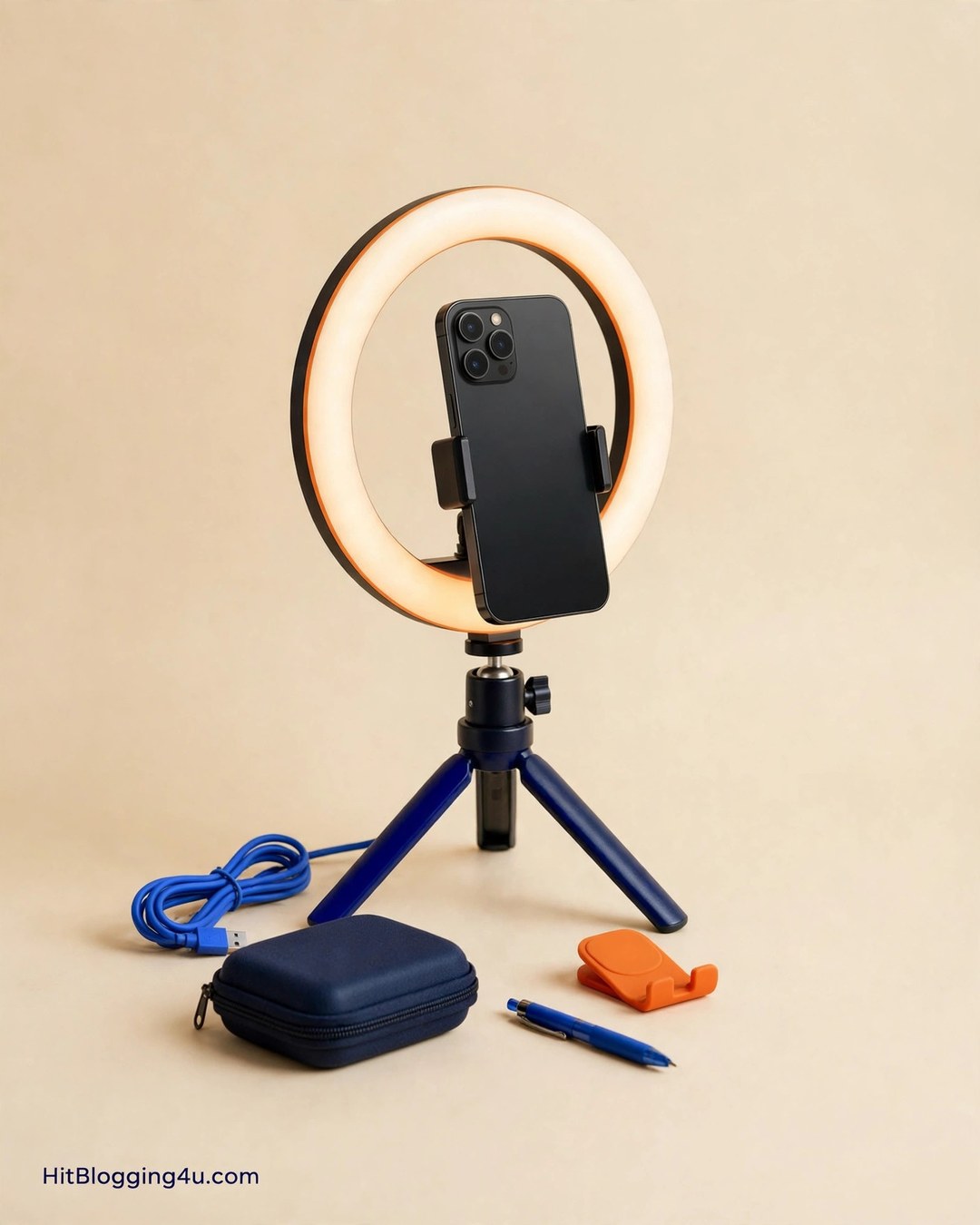
You do not need a camera. A modern phone records good enough video for YouTube, and free editing apps such as CapCut or DaVinci Resolve are enough to start. The one thing worth spending on is sound: viewers forgive shaky video, but they leave videos with bad audio. Record in a quiet room, close to your phone, and if you can afford one small purchase, a basic lavalier microphone or a small ring light makes a bigger difference than a new phone.
Step 4: Plan and Record Your First 10 Videos
Do not publish one video and wait. Plan ten video ideas before you record anything, then record them in batches. Your first videos should answer real questions: search YouTube for your niche, look at the autocomplete suggestions, and read the comments on popular videos to find what people still ask. Each video needs one clear promise in its title — for example, “How to Revise Biology in 7 Days” beats “My Study Vlog #3” every time. Keep your first videos between 6 and 12 minutes long, start with the answer instead of a long introduction, and end by telling viewers what to watch next.

Step 5: Learn Basic YouTube SEO
YouTube is a search engine as well as a video site. Put your main keyword in the video title, in the first two lines of the description, and say it out loud early in the video. Use a clear thumbnail with large text and one strong image — most viewers decide whether to click from the thumbnail alone. Add 3 to 5 relevant tags, and organize videos into playlists so viewers keep watching.
Best YouTube Niches for Students
If you are stuck for a niche, these five work well for students because they match what students already know, need little money to start, and have lasting search demand. Study and exam prep — revision methods, memory techniques, and subject explainers; exam seasons bring a fresh wave of viewers every year. Software and AI tool tutorials — short screen-recorded tutorials for tools students use; faceless, cheap to make, and searched for years. Gaming — beginner guides for one game you know well; pick a narrow lane, not the whole category. Budget tech reviews — reviews of budget laptops, phones, and headphones; a natural fit for affiliate links, but only review products you have actually used. Student life vlogs — day-in-the-life videos with a hook, such as a challenge or a project.
How to Grow Your Channel While Studying
The hardest part of student YouTube is not filming — it is staying consistent during term time. The fix is a system, not willpower. Batch your work: record two or three videos in one free afternoon instead of filming every week. Keep a realistic schedule: one video a week is enough to grow, and two Shorts a week on top of that can speed up discovery — see our guide to the best side hustles for students with only 5 hours a week for a weekly plan that fits around classes. Use study breaks to reply to comments, which is how YouTube learns viewers like your channel. Repeat what works: check YouTube Studio once a week and make a follow-up on your best-performing topic. Protect exam weeks: schedule videos in advance and take a break when exams come.

Common Mistakes Students Make on YouTube
- Copying big creators: a channel with a million subscribers can post a casual vlog and get views. A new channel cannot. Teach something useful first; personality-led videos come later.
- Posting randomly: five videos on five unrelated topics confuse both viewers and YouTube. Stay in one niche for your first 20 videos.
- Ignoring thumbnails and titles: a great video with a weak thumbnail gets no clicks. Spend real time on the title and thumbnail for every video.
- Buying subscribers or views: fake subscribers never watch your videos, which tells YouTube your videos are not worth recommending. It can also get your channel removed from the Partner Program.
- Quitting after five videos: almost no channel grows in its first month. The students who earn are the ones still uploading in month six.
- Using copyrighted music and clips: popular songs and TV clips can get your video claimed or removed. Use YouTube’s free Audio Library instead.
FAQs About Making Money on YouTube as a Student
How much money can a student make on YouTube?
It varies widely. Ad earnings depend on your topic, your viewers’ location, and how many people watch your videos. A small channel may earn only a few dollars a month from ads, while a channel with tens of thousands of views can earn hundreds — and affiliate links, sponsorships, and digital products often pay more than ads at the same size.
Do students need 1,000 subscribers to make money on YouTube?
You need 1,000 subscribers to earn from ads through the YouTube Partner Program, but not to earn in other ways. Affiliate marketing, sponsorships, digital products, and freelance work from your channel can all earn money before you reach 1,000 subscribers.
Can I make money on YouTube without showing my face?
Yes. Faceless channels work well for tutorials, screen recordings, study guides, gaming, and explainers. Use voiceover, screen capture, slides, or animations instead of appearing on camera. Many student creators start faceless because it is faster to record and easier to stay consistent.
How many hours a week does a student YouTube channel take?
About five hours a week is enough for one video plus a couple of Shorts: one hour to plan, two hours to record, and two hours to edit and upload. Batch filming — recording two or three videos in one session — makes it easier to fit around classes.
Is it too late to start a YouTube channel in 2026?
No. YouTube’s audience keeps growing, and new channels break through every month — usually with a specific niche and searchable how-to videos rather than general vlogs. What matters is not when you start, but whether you can publish useful videos consistently for several months.
Conclusion
Making money on YouTube as a student is a slow, honest side hustle: pick one niche you can talk about for months, publish useful videos every week, and add income streams one at a time — ads first, then affiliates, then sponsorships or a digital product. You do not need expensive gear, and you do not need to show your face. You need a phone, a plan, and the patience to keep uploading while the channel is still small.
Your next step is simple: pick your niche today, write down ten video ideas, and record the first one this weekend. If you want a companion project that grows alongside your channel, read how to start a student blog and earn from it honestly — a blog and a YouTube channel on the same topic can send traffic to each other for years.