You do not need five years of experience to get an interview. You need one page that makes a recruiter stop scrolling. Most students send out dozens of applications and hear nothing back, and the problem is rarely their grades or their potential. The problem is that their student resume reads like a list of duties instead of proof that they can do the job.
Recruiters spend about six seconds on a first scan. In those six seconds they are looking for three things: can this person do the kind of work we need, have they done anything at real scale, and is there a number anywhere that proves it? This guide shows you how to build a student resume that answers all three questions, even if you have never had a formal job.

What Recruiters Actually Look For in a Student Resume
Employers who hire students and recent graduates know you do not have a long work history. They are not comparing you with a candidate who has ten years of experience. They are looking for potential, and potential shows up in four specific signals:
- Evidence of initiative. A project you started yourself, a club you led, a freelance client you found on your own — these matter more than a long list of classes.
- Results, not responsibilities. “Managed the club Instagram account” tells a recruiter nothing. “Grew the club Instagram account from 200 to 1,400 followers in one semester” tells them everything.
- Relevant skills, named exactly. If the job posting asks for Excel, Canva, or Python, those exact words need to appear on your resume. Recruiters and software both scan for them.
- Reliability. A part-time job, a tutoring gig, or a semester of volunteer work signals that you show up, meet deadlines, and can be trusted with real tasks.
The 7 Essential Sections of a Student Resume
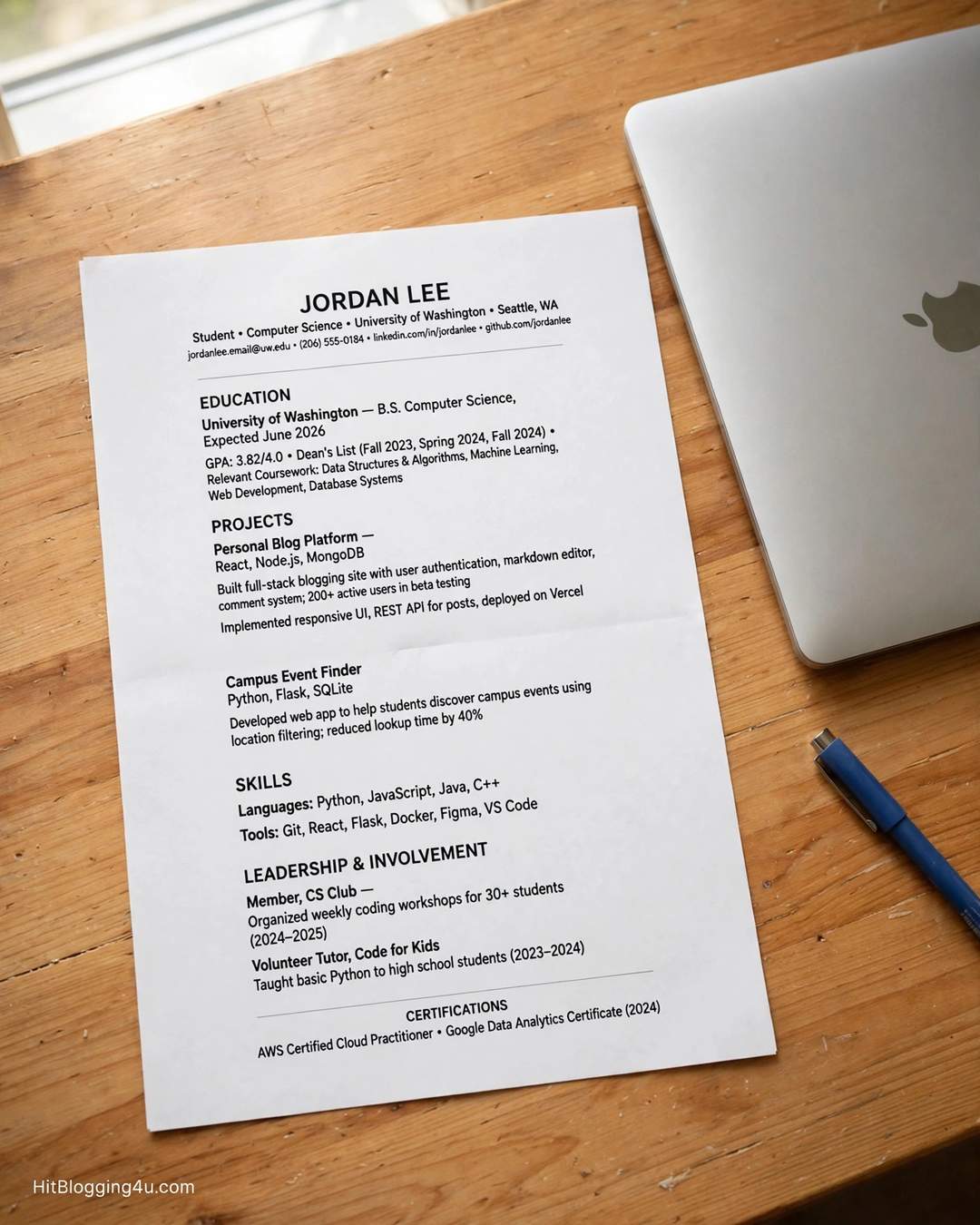
A strong student resume has seven sections, in this order. Put your strongest evidence near the top, because the scan starts at the top and stops early. If your projects are stronger than your internships, move Projects above Experience. The order below is the default that works for most students.
1. Contact Information and Header
Your name is the largest text on the page. Under it, list your phone number, a professional email address (first.last@gmail.com or your university address — never a nickname from middle school), your city, and a link to your LinkedIn profile or portfolio if you have one. Do not include your full street address, your age, or a photo. Example: Sara Ahmed — sara.ahmed@gmail.com — (555) 014-8820 — Lahore, Pakistan — linkedin.com/in/saraahmed
2. A Short Professional Summary
Two or three sentences that say who you are, your single strongest proof point with a number in it, and what you are looking for. Skip the old-fashioned objective statement (“seeking a position where I can grow”). Everyone is seeking that. Example: “Second-year computer science student with 3 freelance web projects completed for local businesses. Built a booking website that increased a salon’s online appointments by 40%. Looking for a part-time front-end internship.”
3. Education
For a student, education is your strongest asset, so give it real detail: university name, degree and major, expected graduation month and year, GPA only if it is 3.3 or above on a 4.0 scale, relevant coursework, and honors such as Dean’s List. Example: “BSc Computer Science, University of the Punjab — Expected May 2027 — GPA 3.6 — Relevant coursework: Data Structures, Database Systems, Web Development.”
4. Experience: Jobs, Internships, and Freelance Work
List every role in reverse chronological order, most recent first. A part-time campus job, a summer internship, and freelance client work all count as experience. Give each role a title, the organization, dates, and three or four bullet points written as achievements, not duties. Example: “Online Tutor, Self-Employed — Jan 2025 – Present — Tutored 12 students in mathematics, with 10 improving by at least one full grade in a semester.” If you are just starting out, our guide on how to start freelancing as a student with no experience shows how to land your first paid work, and our guide on how to become an online tutor as a college student walks through tutoring as a first income source.
5. Projects
This is the secret weapon of a student resume. Treat major class projects, personal projects, and hackathon entries exactly like jobs: give each one a title, dates, and bullet points with tools and results. A coding project, a marketing campaign for a campus event, or a small online store you built all belong here. Example: “Campus Food Finder App — Team of 4, Mar – Jun 2026 — Designed and built a React app listing 35 campus food stalls; 800+ students used it in the first month.”
6. Skills
List hard, verifiable skills only: programming languages, software tools, and languages you speak fluently. Do not waste this section on soft skills like “hard worker” or “team player” — those must be proven by your bullet points, not claimed in a list. Example: “Python, JavaScript, Excel (pivot tables, VLOOKUP), Canva, WordPress, Urdu (native), English (fluent).” Keep it to the 8–12 skills most relevant to the jobs you are targeting.
7. Activities, Leadership, and Awards
Clubs, sports, volunteer work, and competitions show leadership and follow-through. Include the role, the organization, and one result. Example: “Treasurer, Computer Science Society — Managed a Rs 150,000 annual budget across 14 events and grew membership by 22% in one year.” One or two strong entries beat five lines of passive membership.
How to Write Bullet Points With Numbers
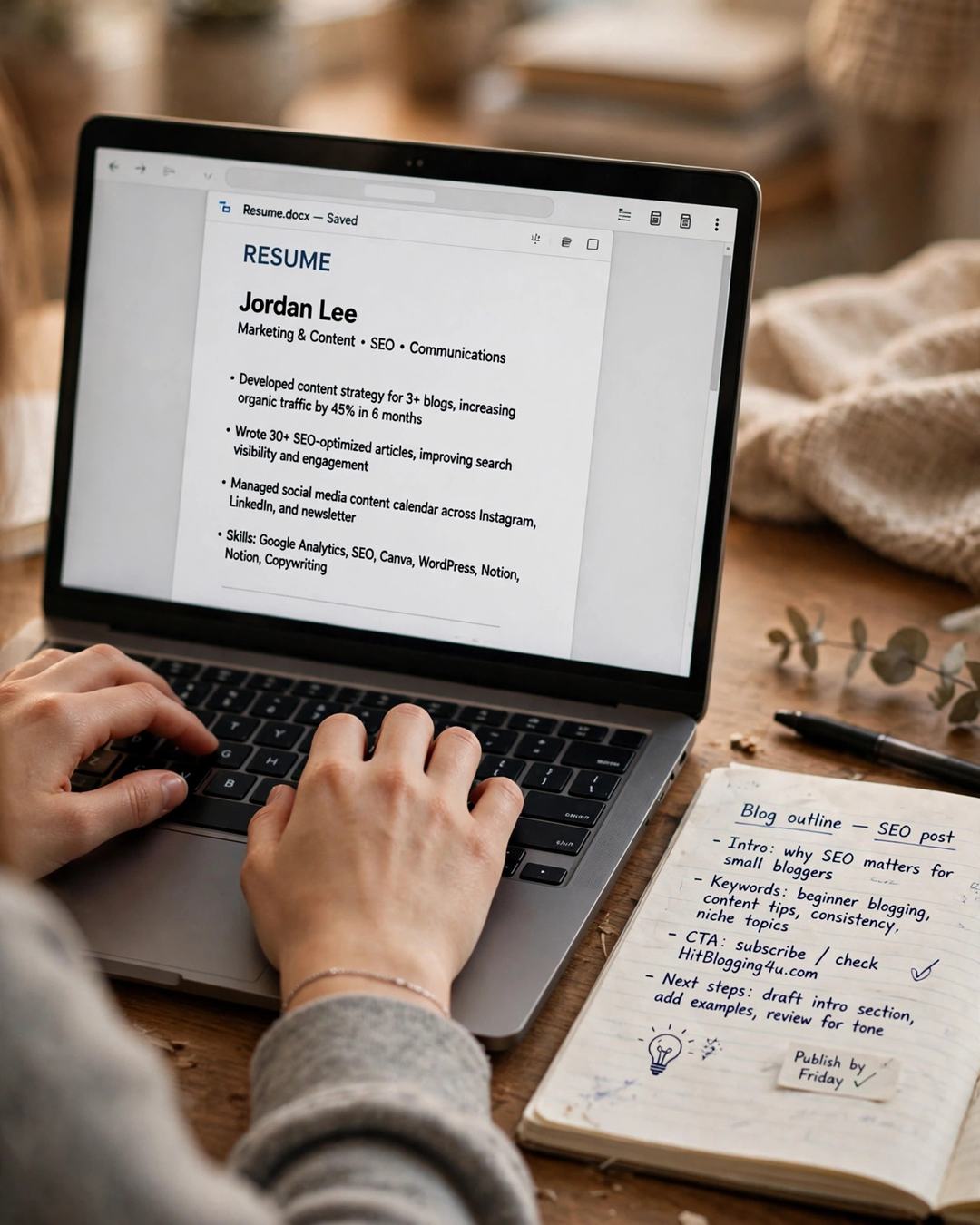
The bullet point is where most student resumes fail. The mistake is writing a job description instead of an achievement. Nobody is impressed that you were “responsible for” something — that only says what you were supposed to do. Use this formula for every bullet:
Strong action verb + what you did + the quantified result + how you did it.
Compare the same experience written two ways:
- Weak: “Helped with marketing for a campus event.”
- Strong: “Designed and ran a social media campaign for the annual tech fest, driving 412 registrations — 38% above the previous year — using Canva and scheduled posts.”
More examples you can adapt:
- “Tutored 12 undergraduate students in calculus over 16 weeks; 10 improved their final grade by at least one full letter.”
- “Served 150+ customers per shift at a campus cafe and trained 3 new team members on the register system.”
- “Wrote 20 blog posts for a student magazine, increasing monthly page views from 1,200 to 5,800 in four months.”
When you cannot find an exact number, use scale instead: how many people, how often, how large, how fast. Start every bullet with a strong action verb — analyzed, built, coordinated, designed, developed, led, managed, organized, researched, streamlined — and retire weak openers like “helped with,” “worked on,” and “was responsible for.” Keep three to four bullets per role; the fifth bullet is almost always your weakest line.
What to Do With No Work Experience
If you have never had a formal job, do not leave the Experience section blank and do not panic. Lead with what you do have. Move Education and Projects to the top, and turn everyday activities into experience entries written like jobs, with a role, an organization, dates, and achievement bullets.
Things that count as experience when you have no job history:
- Class and personal projects. A semester-long capstone, a website you built, a research paper, a portfolio of designs — give it a title and bullets like a job.
- Volunteer work. Organizing a food drive is event management, budgeting, and teamwork. Tutoring classmates is communication and training.
- Clubs and societies. Serving as treasurer, secretary, or marketing lead of a student organization is real leadership experience.
- Part-time and campus work. Library assistant, cafe staff, campus ambassador — these prove reliability, and reliability is exactly what first employers screen for.
- Freelance and online work. Even one or two small paid gigs count. If you need a starting point, read our list of 10 part-time remote jobs for students that actually pay and our guide to the best side hustles for students with only 5 hours a week — each one gives you real experience you can put on your resume within weeks.
Never invent a job, a title, or a number — employers check, and getting caught costs you the opportunity.
ATS Tips: How to Get Your Student Resume Past the Software
Before a human sees your resume, software often reads it first. An applicant tracking system (ATS) parses your file into fields like Education, Experience, and Skills, then ranks it against the job description. A beautiful two-column design with graphics and skill bars can get scrambled by the parser, leaving your experience section blank. Here is how to survive the scan:
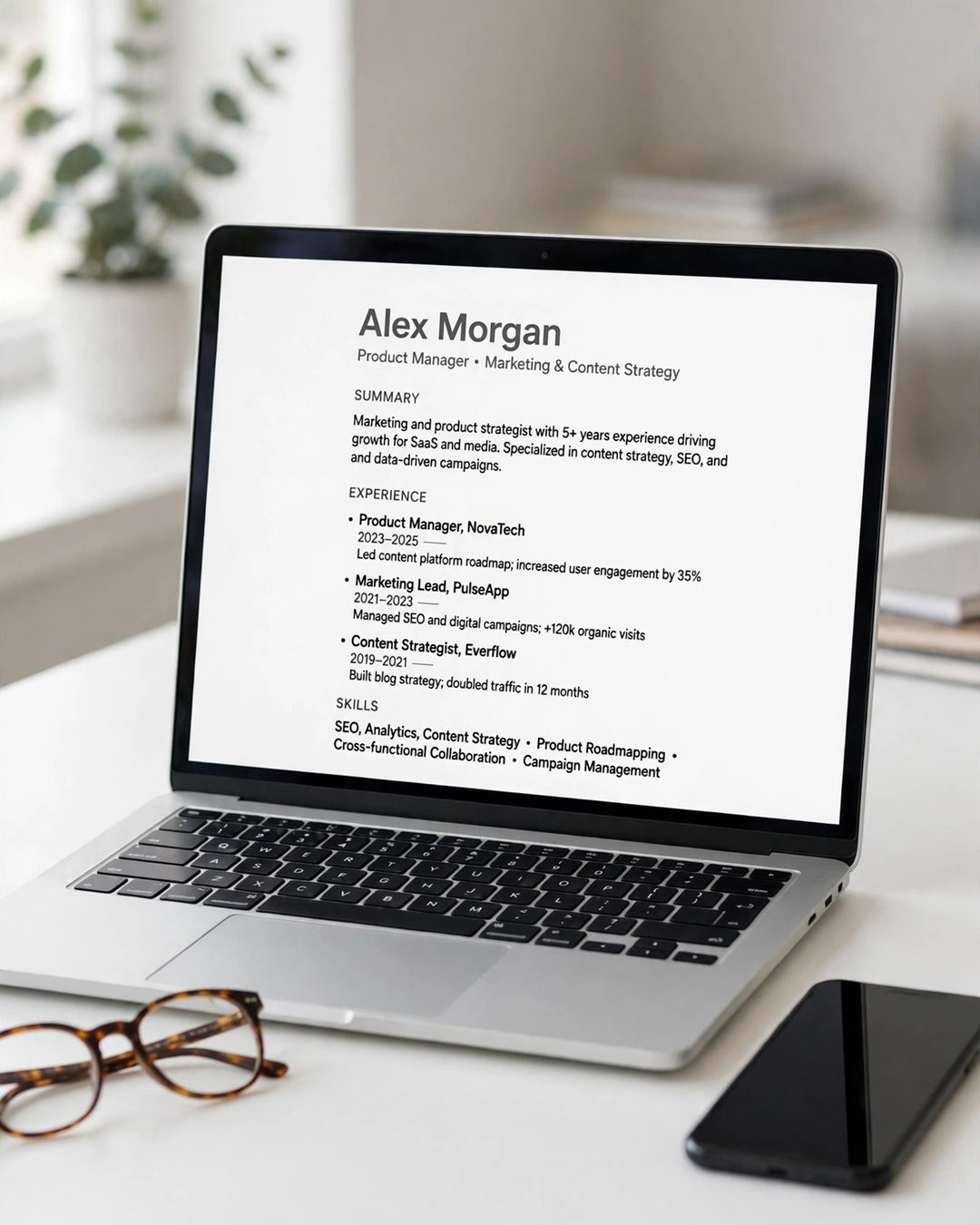
- Use a single-column layout. No tables, no columns, no text boxes, no graphics. The parser reads left to right, top to bottom.
- Mirror keywords from the job description. If the posting says “data analysis,” write “data analysis” — not “analyzed data.” Older systems do not recognize synonyms. Use the posting’s exact skill names, and only for skills you can genuinely discuss in an interview.
- Use standard section headings. “Education,” “Experience,” “Skills,” “Projects,” “Certifications.” Creative headings like “My Journey” fall into a void the parser cannot categorize.
- Choose a standard font. Calibri, Arial, Georgia, or Garamond at 10–12pt for body text and 14–16pt for headings. No decorative fonts, no colored boxes, no photo.
- Save as a text-selectable PDF. Open your PDF and try to highlight and copy a line. If you can, the ATS can read it. If you cannot, you exported an image. Use .docx only if the application form specifically asks for it.
- Name the file properly. FirstName_LastName_Resume.pdf — never “Resume_final_v3.pdf.”
- Run a free match check. Tools like Jobscan or Resume Worded compare your resume against a job posting and show your keyword match rate. Aim for roughly 65–75% before you submit.
Do not stuff keywords into a hidden block of white text. Recruiters spot it instantly, and it reads as dishonest. Mirror the job description’s language naturally, inside real bullet points.
A Simple One-Page Student Resume Template
Use this outline to build your resume, then cut until it fits on one page.
Your Name
Phone | Professional email | City | LinkedIn or portfolio link
Summary (2–3 lines)
Who you are, your strongest proof point with a number, and the role you want.
Education
Degree and major, university, expected graduation date, GPA if 3.3+, relevant coursework, honors.
Experience
Each role: title, organization, dates, 3–4 achievement bullets with numbers. Part-time jobs, internships, tutoring, and freelance work all belong here.
Projects (2–3)
Each project: title, dates, tools used, one result with a number.
Skills
8–12 hard skills matched to the job posting.
Activities and Awards
One or two leadership roles or awards, each with a result.
When your resume is ready, tailor it for every application. You do not need to rewrite it — spend 10–15 minutes swapping in the posting’s keywords, reordering bullets so the most relevant achievement comes first, and tightening the summary line. Students who tailor every application typically get three to four times more callbacks than those who send the same file to 30 employers. And once the interviews start coming, keep your schedule under control: our guide on how to balance a part-time job and your studies helps you handle work without letting your grades slip.
7 Common Mistakes That Kill a Student Resume

- Two pages of padding. As an undergraduate, your resume must fit on one page. A second page signals that you cannot prioritize or edit.
- Listing “Microsoft Word” as a skill. In 2026, basic word processing is assumed. List tools that actually set you apart.
- An objective statement. “Seeking a position where I can grow” wastes the most valuable lines on the page. Use a summary with a proof point instead.
- Duty bullets with no results. “Responsible for customer service” says nothing. Add what changed because of you, with a number.
- Typos and inconsistent formatting. One typo can end your application. Proofread twice, then ask a friend or your campus career center to proofread it too. Check that every date is formatted the same way.
- A fancy template that breaks the ATS. Two columns, tables, graphics, and skill bars look good and parse badly. Simple and scannable wins.
- Sending the same resume everywhere. A generic resume gets a generic result. Tailor the keywords and bullet order for each role.
Frequently Asked Questions About Student Resumes
How long should a student resume be?
One page. As a current student or recent graduate, one page is more than enough. If it spills onto two pages, you are padding — cut the weakest bullets and the least relevant activities until it fits.
What should I put on my resume if I have no experience?
Lead with education and projects, then add volunteer work, clubs, class projects, and part-time jobs written like real roles with achievement bullets. Employers hiring students expect this — they are looking for initiative and reliability, not a long job history.
Should I include my GPA on my resume?
Include it only if it is 3.3 or higher on a 4.0 scale (or the equivalent in your grading system). Below that, leave it off and let your projects and skills carry the page. Never round a 3.2 up to a 3.5.
Do I need a professional summary as a student?
It is optional, but a good one helps: two or three sentences with your strongest proof point and a number. Skip it if it only repeats what the rest of the page already says, and never use an old-fashioned objective statement.
Should I use a PDF or a Word document?
Default to a text-selectable PDF, which preserves your formatting on every device and parses cleanly on modern ATS platforms like Workday and Greenhouse. Use .docx only if the application form asks for it, or if you know the employer uses an older system like Taleo.
How do I tailor my resume for each job?
Read the job description and list its top 3–5 skills and keywords. Mirror the exact phrases in your skills section and bullet points, reorder bullets so the most relevant achievement comes first, and adjust your summary line. It takes about 15 minutes per application and multiplies your callback rate.
Conclusion
A great student resume is not a list of everything you have ever done. It is a one-page argument built from proof: the right sections in the right order, bullets that start with strong verbs and end with numbers, and a format that both software and humans can read in seconds. Build your master version today using the template above, then tailor it for every role you apply for. Your first interview is closer than you think — it starts with a resume that gives a recruiter a reason to call.